What CRT Does
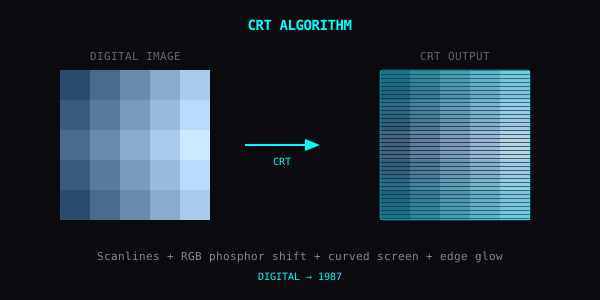
CRT simulates a cathode ray tube display. Three things happen at once:
- Scanlines — horizontal dark stripes between every row of pixels
- Phosphor bloom — bright pixels glow into their neighbors
- RGB sub-pixel shift — red, green, blue phosphors lit slightly apart
The combined effect is the unmistakable look of analog video, before everything was 4K and surgically sharp. You can test CRT scanlines in your browser on our Texture Studio.
Why It Works on Photos
Modern photos are too clean. Every pixel is exactly where it should be. CRT adds the imperfection your eye associates with "video" — the artifact set that says this was on a screen, not paper.
Suddenly that bright window becomes a glowing rectangle. Skin tones get a slight color separation. Dark areas pick up a glow. It reads as 1987 instead of 2026, and your brain fills in the rest.
Parameters
Intensity (0–100%)
Master dial. Everything else scales with this.
Scanline (0–100%)
- 0–20%: faint, almost subliminal
- 20–60%: clearly visible, classic look
- 60–100%: aggressive, almost interfering
Bloom (0–100%)
How far bright pixels leak.
- Low: clean retro
- High: dreamy haze, late-night TV signal
Good Subjects
- Street photos: instant Liquid Sky / cyberpunk vibe
- Night scenes: bloom does heavy lifting on neon and streetlights
- Portraits: phosphor shift on skin = unsettling but stylish
- Still life with screens: looks like the photo was also shot on a CRT
What to Avoid
- Detailed text: scanlines fight legibility
- Already-soft images: bloom on top of bokeh just becomes mush
- Pure black backgrounds: nothing to glow, you get scanlines on void
Combinations
- CRT + RGB Shift: amplifies the analog feel. Use RGB shift at low intensity, CRT will do most of the work.
- CRT + Pixel Sort: melting CRT broadcast. You can stack CRT scanlines with sorting directly in our Pixel Sorting Online tool or experiment in the full Texture Studio.
- CRT + ASCII Art: terminal in a terminal. Cursed and beautiful.
The Idea
CRT isn't nostalgia. It's a different optical contract. Pixels become objects instead of math. That's the whole appeal.