<Texture Studio

VHS Effect Online

[ 3 KERNELS // CANVAS 2D ]
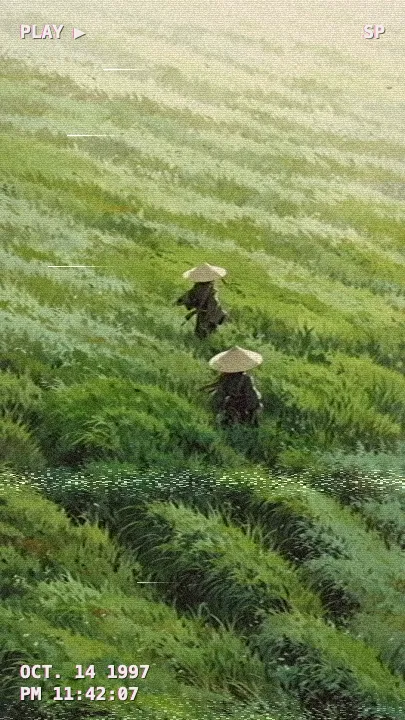
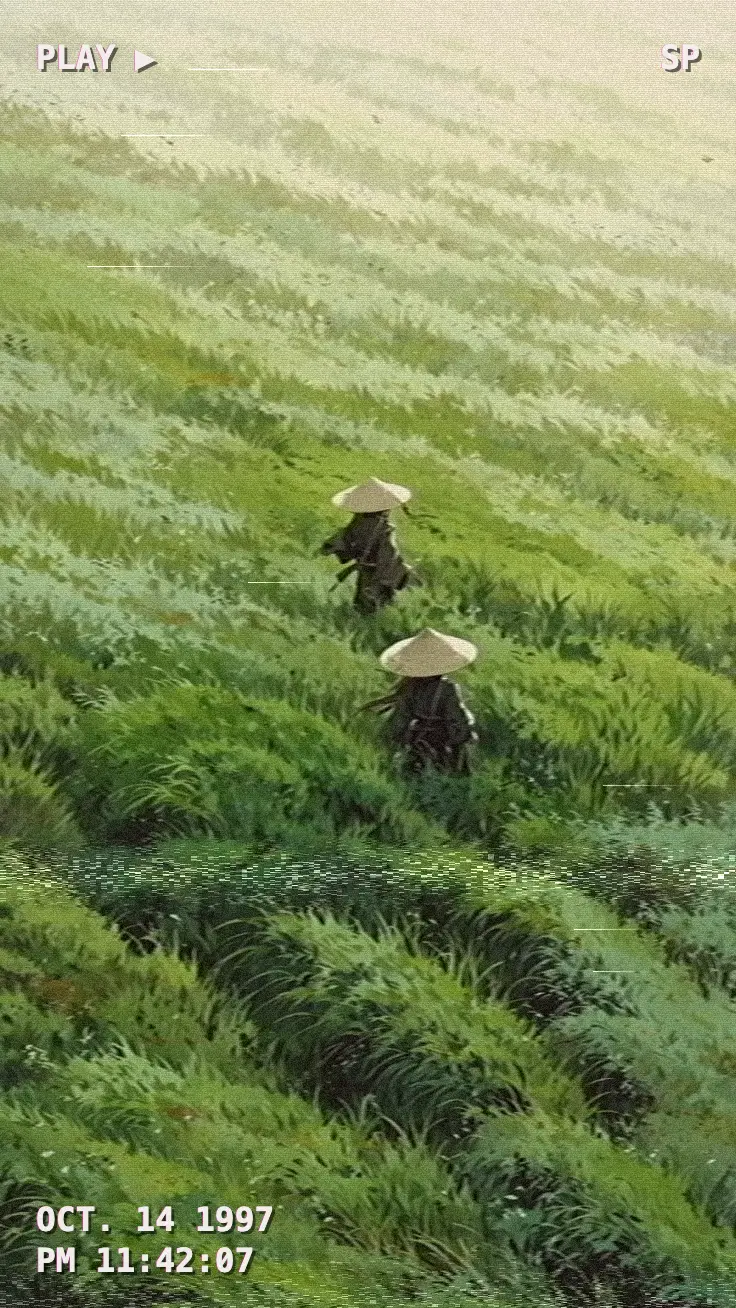
VHS Tape applied to the sample photo

How to add a VHS effect to a photo

  1. Drop a photo onto the canvas, paste it, or click to choose one. It never leaves your browser.
  2. Keep VHS Tape selected and move Detail to set the tape condition: high is a fresh tape, low is a worn rental.
  3. Export the PNG. No account, no watermark.

How the VHS effect works

A VHS frame does not look old because of a texture laid on top. It looks old because of the path the signal took through the tape, so the filter rebuilds that path in one pass over the pixels:

  1. Luma and chroma are split. Each pixel is converted to YIQ, the brightness-plus-colour encoding analogue video used. Brightness and colour then get different treatment, which is the core of the look.
  2. Soft brightness with a halo. Brightness is blurred along each row only, by 1–3px on a 1400px image, because tape loses horizontal resolution, not vertical. A VCR's edge enhancement is added back on top, so hard edges get the light and dark halo you see on rented tapes.
  3. Colour bleed. Colour is smeared horizontally by 7–14px and lands about 3–4px to the right of the shape it belongs to. Saturation drops to 70% with a slight warm-magenta cast, and blacks are lifted, so nothing is fully black.
  4. Transport faults. Every row is nudged sideways by a small, smooth wobble. The bottom 6% of the frame tears to the right like the head-switching band on a paused tape. One tracking band sits about two-thirds of the way down, with displaced rows and streaks of snow, and a few rows get a bright dropout streak.
  5. Grain and fields. Fine grain is added to brightness, and every other row is about 7% darker, like the two interlaced fields of a TV picture.
  6. On-screen display. A camcorder date and time sit in the bottom corner, with either a playback screen (PLAY ▶ and SP) or a recording screen (a red ● REC and a battery meter) on top. You can switch the style, hide the text or set any date and time; with your own photo the date starts at the file's time.
SliderWhat it controlsPractical range
DetailTape condition: blur, colour smear, wobble, tear, tracking band and dropouts70–100 for a clean recording, 20–50 for a worn tape
IntensityBlend against the original, including the on-screen text90–100 for a full tape frame, 50–70 for a subtle wash
ContrastTone curve applied before the signal is encodedRaise it for punchier night shots

Everything runs in a Canvas 2D buffer inside your browser. The image is never uploaded, and the PNG export keeps your image size up to a 1400px long edge. The result is a still image: the noise does not move. CRT Scanlines on the same page adds the TV the tape was played on, and Pixel Sort smears rows further, like tracking that has fully slipped. Filters do not stack in one pass, so export, drop the PNG back in and apply the second filter.

Best for

  • Nostalgic family-video and 90s home-movie posts
  • Album covers, mixtape art and music-video stills
  • Found-footage and analogue-horror visuals
  • Thumbnails and posters with a 90s camcorder look

> Examples

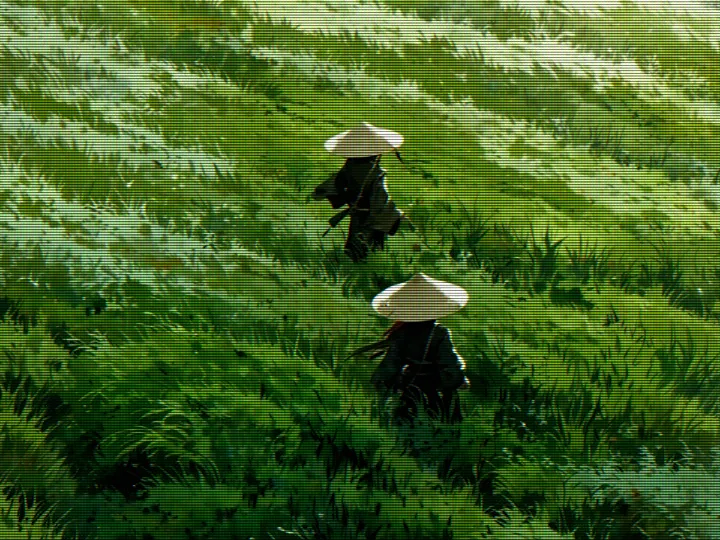
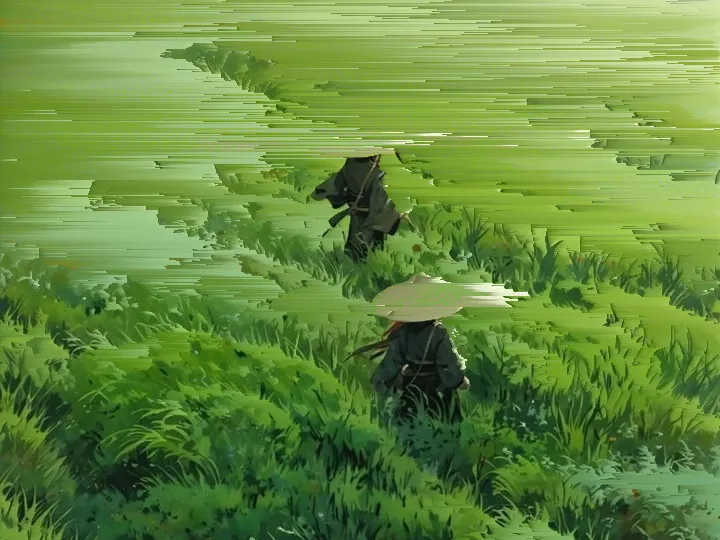
The same illustration run through this page's filters at their default settings — rendered by the exact engine above, not mock-ups.

Illustration of two travellers in straw hats crossing a wind-swept grassy hillside — original image before any filter
Beforeoriginal, no filter
Illustration of two travellers in straw hats crossing a wind-swept grassy hillside, after the VHS Tape filter — tape colour bleed, tracking noise and a camcorder timestamp
VHS Tapetape colour bleed, tracking noise and a camcorder timestamp
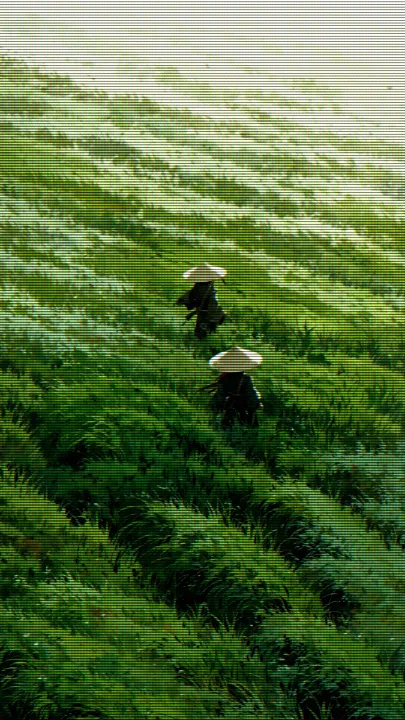
Illustration of two travellers in straw hats crossing a wind-swept grassy hillside, after the CRT Scanlines filter — scanlines, RGB colour fringing and phosphor glow
CRT Scanlinesscanlines, RGB colour fringing and phosphor glow
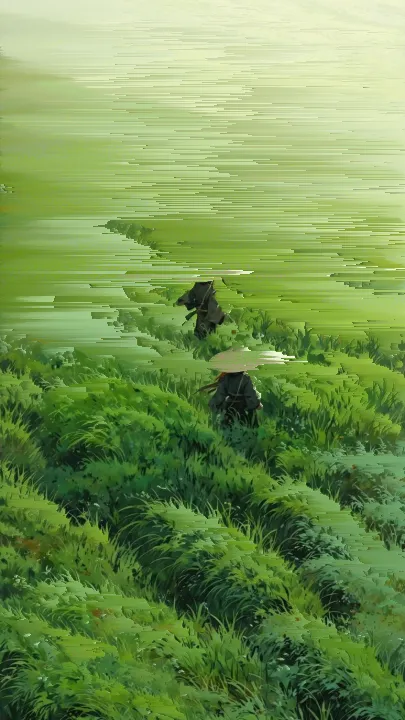
Illustration of two travellers in straw hats crossing a wind-swept grassy hillside, after the Pixel Sort filter — horizontal brightness-sorted streaks
Pixel Sorthorizontal brightness-sorted streaks
Close crop of the two straw-hat travellers walking through tall green grass — original image before any filter
Beforeoriginal, no filter
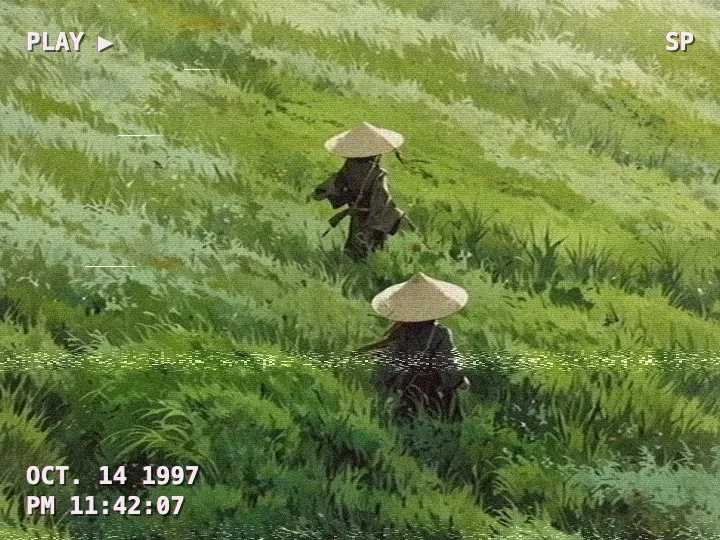
Close crop of the two straw-hat travellers walking through tall green grass, after the VHS Tape filter — tape colour bleed, tracking noise and a camcorder timestamp
VHS Tapetape colour bleed, tracking noise and a camcorder timestamp
Close crop of the two straw-hat travellers walking through tall green grass, after the CRT Scanlines filter — scanlines, RGB colour fringing and phosphor glow
CRT Scanlinesscanlines, RGB colour fringing and phosphor glow
Close crop of the two straw-hat travellers walking through tall green grass, after the Pixel Sort filter — horizontal brightness-sorted streaks
Pixel Sorthorizontal brightness-sorted streaks

> Frequently Asked

How do I make a photo look like a VHS tape?
Drop the photo into this page, keep the VHS Tape filter selected and export the PNG. In one pass it softens the image, smears and shifts the colour, adds tracking noise, a head-switching tear at the bottom and a PLAY timestamp. Lower Detail for a more worn tape.
Is this VHS filter free? Are my photos uploaded?
It is free, with no account and no watermark. Processing happens in your browser with Canvas 2D, so the photo never leaves your device and nothing is stored on a server.
Can I remove the date stamp or change the date?
Yes. Under the sliders, untick Camcorder text to hide it, pick PLAY ▶ or ● REC for the style, and set any date and time. When you load your own photo, the date starts at the file's time. The text also fades with the Intensity slider.
What is the difference between the VHS and CRT filters?
VHS models the tape: soft brightness, colour bleeding to the right, tracking noise, a tear at the bottom and a camcorder timestamp. CRT models the screen: scanlines, an RGB aperture grille and glowing highlights. Use VHS for a home-video frame and CRT for a monitor or TV screen.
Can I make a VHS video or GIF here?
No. The browser tool exports a still PNG up to a 1400px long edge, and the noise does not animate. The Yan app on iOS and Android shoots through live camera effects and exports video.

Images are processed in your browser and never uploaded. The site keeps anonymous usage analytics (page views, chosen filter, file size) — never pixel data.